Disclosure: Some links on this page may be affiliate links. If you make a purchase through them, Noviqip may earn a commission at no extra cost to you.
The best CRM for freelancers should help you remember leads, client conversations, proposals and follow-ups without turning a solo business into a software-administration job. For most freelancers, that means choosing a lightweight CRM before choosing the platform with the longest feature list.
Quick answer: HubSpot is our starting pick for most freelancers who want a capable free CRM. Pipedrive is the stronger fit when prospecting and closing deals is already a serious part of your week. Bonsai makes more sense when you want client management closer to proposals, contracts and invoicing.
This guide compares six options by the jobs freelancers actually need to do: capture enquiries, track deal stages, schedule the next follow-up, retain client context and grow without paying for unnecessary enterprise complexity.
Best CRM for freelancers at a glance
| CRM | Best for | Free option | Noviqip pick |
|---|---|---|---|
| HubSpot | Most freelancers starting with CRM | Yes | Best free overall |
| Pipedrive | Visual sales pipelines | 14-day trial | Best sales-focused option |
| Bonsai | Broader freelance administration | Check current plans | Best all-in-one workflow |
| Folk | Relationships and networking | Check current plans | Best relationship-focused option |
| Notion | Simple DIY client tracking | Yes | Best DIY option |
| Zoho CRM | Freelancers becoming a small team | Yes | Strong free alternative |
Plan details can change. We rechecked key free-plan and product claims against official provider information on September 19, 2026.
Do freelancers actually need a CRM?
Not always. If you have a handful of active clients and almost no sales pipeline, a spreadsheet or a simple Notion database may be enough. A dedicated freelance CRM becomes useful when you regularly forget follow-ups, lose context between conversations, have several proposals open at once or need a clearer view of potential future revenue.
A useful rule is to adopt CRM software because a repeated process is becoming messy, not because “real businesses use a CRM.” The tool should remove admin rather than create another maintenance routine.
CRM vs client management software: what does a freelancer need?
A CRM mainly helps manage the relationship before and around a sale: contacts, leads, deal stages, communication history and next actions. Client management software can extend further into proposals, contracts, projects, time tracking, invoicing and client portals.
If missed follow-ups are the problem, start with a CRM such as HubSpot or Pipedrive. If the bigger problem is moving a signed client through contracts, delivery and invoices, an all-in-one freelance platform such as Bonsai may be more relevant. Freelance marketers can also compare our best client management tools for freelance marketers.
How we chose these CRM tools for freelancers
We prioritized ease of use, lead and client tracking, follow-up workflows, price, room to grow and administrative overhead. A strong freelancer CRM should be useful before you have a sales team, not only after you become one.
We also separated relationship management from sales complexity. Some freelancers need a visual deal pipeline; others mainly need a reliable place to remember conversations, referrals and next steps. We use current official provider pages for factual plan claims and do not present unperformed hands-on tests or invented performance benchmarks as evidence.
1. HubSpot CRM: best free CRM for most freelancers
Best for: freelancers who want to organize contacts, deals and follow-ups without immediately adding another monthly bill.
HubSpot's official free CRM page currently says the free tools support up to two users and 1,000 contacts, with no expiration date. It includes contact, deal and task management, email tracking, templates, meeting scheduling and other basic CRM tools. That makes it a practical place to build a real client pipeline before paying for more advanced functionality.
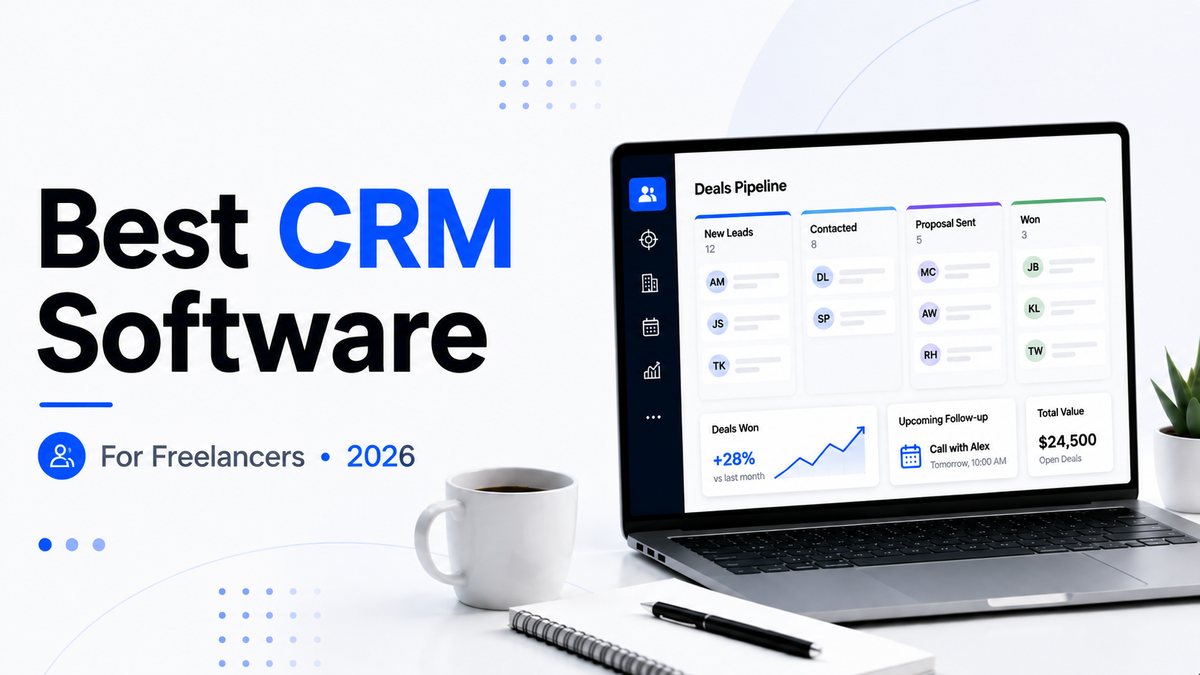
A freelancer could use stages such as New Lead → Contacted → Discovery → Proposal Sent → Won. The terminology matters less than being able to see which opportunities need attention.
Where HubSpot works well
- Contact, deal and task management
- Email tracking and engagement notifications
- Meeting scheduling
- A permanent free starting point
- Room to grow into a broader customer platform
The catch
HubSpot is much bigger than a simple freelancer CRM. That ecosystem can help as your business grows, but paid hubs and advanced functionality can become more than a solo operator needs. Start with the free workflow and upgrade only when a specific limitation is costing you time or opportunities.
Noviqip verdict: the best starting point for most freelancers currently using an inbox, spreadsheet or memory as their CRM.
2. Pipedrive: best CRM for an active sales pipeline
Best for: freelancers who regularly prospect, pitch and move multiple opportunities toward a close.
Pipedrive puts the visual sales pipeline at the center of the product. Its current product information offers a 14-day free trial with no credit card required and highlights more than 500 integrations. Pipedrive also moved to its newer Lite, Growth, Premium and Ultimate plan structure; its September 3, 2026 support update says Lite supports up to 2,500 active leads and deals per user.
If you are juggling ten new leads, several discovery calls and multiple proposals, a focused pipeline can be easier to justify than it is for someone who receives one enquiry every few weeks.
Noviqip verdict: our pick when client acquisition already feels like a repeatable sales process.
Comparing your shortlist? Read our HubSpot vs Pipedrive comparison for freelancers.
3. Bonsai: best for an all-in-one freelance workflow
Best for: freelancers who want client management closer to proposals, contracts, projects and invoicing.
Bonsai becomes interesting when fragmentation is the problem rather than CRM alone. If client details live in one tool, contracts in another and invoices somewhere else, consolidation may save more time than a specialized sales platform.
Noviqip verdict: consider Bonsai when simplifying your overall freelance software stack matters more than building the most sophisticated pipeline.
4. Folk: best relationship CRM for freelancers
Best for: consultants, recruiters, creators and freelancers whose work comes heavily from relationships, referrals and networking.
Not every valuable contact fits neatly into a sales funnel. A former client might refer work months later, while someone you meet at an event may become a customer next year. Folk is worth considering when organizing those relationships matters as much as tracking formal deals.
Noviqip verdict: a more natural fit for network-driven businesses than a heavy outbound-sales setup.
5. Notion: best DIY client CRM
Best for: existing Notion users with a small, straightforward pipeline.
Notion is not a traditional CRM, but a database with fields for contact details, deal value, stage, last contact and next follow-up can be enough for a freelancer with a limited number of prospects. Once you start manually recreating email tracking, sales automation and reporting, move to dedicated CRM software instead of building your own software project.
If AI is also part of your client workflow, see our best AI writing tools for freelancers.
6. Zoho CRM: strong free alternative for a tiny team
Best for: freelancers who are starting to work with an assistant, partner or tiny team.
Zoho's current CRM documentation confirms that the Free Edition supports up to three users. Zoho specifically describes that free edition as suitable for a solo founder or freelancer tracking prospects, which makes it a credible HubSpot alternative when several people need access to the same client records.
Noviqip verdict: one of the strongest free alternatives when a solo business is becoming a small operation.
Free CRM vs free trial: what freelancers should compare
A permanent free CRM lets you keep using its included features without a trial deadline. A free trial gives temporary access to a product, which may require payment to continue using afterward. A DIY client tracker can be free to start but is not the same as dedicated CRM software. These options should not be treated as interchangeable when searching for the best free CRM for freelancers.
| Option | What “free” means | What to check before choosing |
|---|---|---|
| HubSpot CRM | Permanent free CRM tools with usage and feature limits | Contact limits, seats and which automation features require an upgrade |
| Zoho CRM | Free Edition with limits | Included features and whether the free user allowance fits your team |
| Pipedrive | Time-limited trial rather than a permanent free CRM plan | Subscription cost after the trial and how to export records if you do not continue |
| Notion | A DIY database you can use as a basic client tracker | Time needed to build and maintain it, and the absence of dedicated CRM workflows |
Before importing your client list, check the provider’s current plan page for seat charges, contact or record limits, email and calendar integration, and the price of reminders or automation you actually need. For a trial, find out what happens to your records and access when it ends. A “free” sign-up is only useful if the workflow you rely on stays available.
CRM for freelancers managing multiple short-term clients
Short projects create a different challenge from a long sales cycle: the same client may have one active assignment, another proposal under review and a future follow-up at the same time. Keep contacts, opportunities and active projects separate. A contact represents the person or company; a deal represents a possible piece of work; a project represents work already agreed. When a deal is won, do not leave its delivery tasks buried in the sales pipeline.
- Create one contact record per client. Store their preferred contact method, relevant context and permission-appropriate notes in one place.
- Create a separate opportunity for each new brief. Track the scope, estimated value, proposal date and the next agreed action instead of overwriting an earlier project.
- Give every open opportunity a follow-up date. For example, schedule a check-in two business days after sending a proposal if that timing fits the conversation.
- Move won work into a delivery workflow. Record start dates, deadlines, approvals and invoices in a project tool or an all-in-one client management platform. Link it to the client record when possible.
- Review active clients and new leads separately each week. This prevents a busy delivery schedule from hiding unanswered enquiries or promising repeat work.
Example: A freelance marketer running five short campaigns might have an active campaign for Client A and a new proposal for the same client. The campaign belongs on the delivery board; the proposal stays in the CRM with its own next-action date. If you also need contracts, client portals or invoicing, compare client management tools for freelance marketers rather than expecting a sales-only CRM to handle every step.
Best free CRM for freelancers
For a permanent free CRM for freelancers, compare HubSpot and Zoho CRM first. HubSpot is our default recommendation for a solo freelancer because its free tools cover the core contact, deal and follow-up workflow. Zoho becomes especially interesting when up to three people need access.
| Option | Why consider it | Main limitation |
|---|---|---|
| HubSpot | Dedicated free CRM; up to 2 users and 1,000 contacts | Advanced functionality sits in paid products |
| Zoho CRM | Free Edition supports up to 3 users | More structured than a basic solo tracker |
| Notion | Flexible DIY client database | Not a purpose-built CRM |
Upgrade only when a paid feature clearly saves time or helps recover opportunities you would otherwise miss.
Best CRM by freelance work style
| Freelance setup | Start with | Why |
|---|---|---|
| New freelancer with a small pipeline | HubSpot or Notion | Low-cost way to organize contacts and follow-ups |
| Sales-heavy consultant or marketer | Pipedrive | Pipeline and next actions stay front and center |
| Freelancer juggling contracts and invoices | Bonsai | Client records sit closer to the wider admin workflow |
| Referral-driven freelancer | Folk | Better fit when relationships do not follow a rigid funnel |
| Freelancer growing into a small team | Zoho CRM | Free multi-user starting point |
Best CRM for freelance marketers, writers and consultants
Freelance marketers: Pipedrive is attractive when new-business activity is frequent and you want a clear pipeline. HubSpot is a stronger starting point when you want to begin free and value a broader marketing ecosystem.
Freelance writers and creators: HubSpot or a simple Notion setup can be enough when the main need is tracking enquiries, pitches and follow-ups rather than running a complex sales operation.
Consultants: Folk can make sense when referrals and long-term relationships matter more than a rigid funnel, while Pipedrive becomes more useful as the number of active opportunities grows.
HubSpot vs Pipedrive for freelancers
For many freelancers, the most useful shortlist is HubSpot versus Pipedrive. Choose HubSpot when you are new to CRM, want a permanent free starting point and may value broader marketing or customer tools later. Choose Pipedrive when sales activity is already central to your week and you want the pipeline itself to be the main experience.
See the full HubSpot vs Pipedrive guide for freelancers for the deeper comparison.
How to set up a freelancer CRM without overcomplicating it
- Import only useful contacts. Do not turn the CRM into an address-book dump.
- Create 4–6 clear deal stages. A simple pipeline is easier to maintain than a perfect one.
- Define one next action for every open opportunity. A lead without a next step is easy to forget.
- Set follow-up dates. Use tasks or reminders instead of relying on memory.
- Review the pipeline once a week. Close dead deals and update stale opportunities.
- Add automation only after the manual workflow is clear. Automating a messy process usually creates a faster mess.
What should a freelancer look for in CRM software?
A pipeline you understand immediately
You should be able to see which prospects need attention within seconds.
Easy follow-ups
If someone says “contact me in October,” the CRM should make it difficult to forget.
Email and calendar fit
Check whether the CRM works cleanly with the inbox and calendar you already use. Reducing context switching is often more valuable than adding another advanced feature.
Data export and ownership
Before committing, check how contacts and deals can be exported. A CRM becomes business infrastructure once it contains years of relationship history.
Privacy and permissions
Client records can contain commercially sensitive information. Review the provider's current security, privacy and access-control documentation for your own requirements, especially when multiple users or contractors have access.
A sensible total cost
Compare the price with time saved and opportunities recovered. Also consider seat pricing, paid add-ons and the features you may need later rather than only the entry price.
Frequently asked questions
What is the best CRM for freelancers in 2026?
HubSpot is our current starting pick for most freelancers because its free CRM covers the core contact, deal and follow-up workflow. Pipedrive is stronger when active selling and deal management are central to the business.
What is the best free CRM for freelancers?
HubSpot and Zoho CRM are two strong permanent-free options to compare. HubSpot currently states up to two users and 1,000 contacts on its free CRM tools, while Zoho CRM's Free Edition supports up to three users.
Is HubSpot free for freelancers?
Yes. HubSpot's official CRM page says its free CRM has no expiration date and currently supports up to two users and 1,000 contacts. Paid products add more advanced capabilities.
Does Pipedrive have a free plan?
Pipedrive currently promotes a 14-day free trial rather than a permanent free CRM plan.
Can I use Notion as a CRM for freelance clients?
Yes, for a simple pipeline. Once you need dedicated sales automation, deeper reporting or advanced email workflows, a purpose-built CRM becomes more attractive.
What is the difference between a CRM and a client portal?
A CRM primarily helps you manage leads, contacts, deal stages and relationship history. A client portal is generally a customer-facing space for files, messages, approvals, invoices or project information. Some all-in-one freelance tools combine parts of both.
When should a freelancer pay for a CRM?
Pay when you can name the limitation you are solving: for example, automation that saves meaningful admin time, reporting you genuinely use, or sales functionality that helps prevent missed opportunities.
How Noviqip researched this guide
We compare products around freelancer-specific jobs rather than ranking them by the size of their feature lists. For this update, key time-sensitive claims were checked against official HubSpot, Pipedrive and Zoho documentation on September 19, 2026. We distinguish provider-published plan information from our editorial recommendations and do not claim hands-on testing, conversion lifts or productivity gains that we have not measured.
Final verdict: which freelancer CRM should you choose?
If you are moving beyond spreadsheets, start with HubSpot and learn what you actually need from a CRM before paying. If your week already revolves around prospecting, discovery calls and proposals, compare Pipedrive. If contracts, invoices and project administration are the bigger headache, look closely at Bonsai.
The best CRM for freelancers is not the one with the most automation. It is the one you will consistently update because it makes the next client action obvious.